


|
|
|
|
|
Ad-hoc measuring.
The much requested feature known from venerable InfoGlider for MicroStation 95 thru v7 is now implemented in InfoSnap V8, XM and V8i: the ability to make ad-hoc "rubber-band measurements".
To enable this feature make sure that you have selected something other than 'disabled' (or 'btn alone') in the 'Keyboard' option button ("Settings-1"). Then press this key while moving mouse cursor within a view area.
Example:
In "Settings-1" we set 'Keyboard' = 'Shift+btn' (see the Fig 1.)
Now press the 'Shift'-key on your keyboard when moving mouse pointer over the MicroStation view. The "rubber band" is drawn parallell to your view surface and the length of it is dynamically shown near the cursor.
Now let the 'Shift'-key go off and move the mouse. The "rubber band" disappears. That's it, no need to press mouse buttons at all!
Please note that measurements are only approximate as they are computed from the cursor position at the very moment when you pressed Shift-button on the keyboard rather than from exact snap points (which are cheerfully ignored).
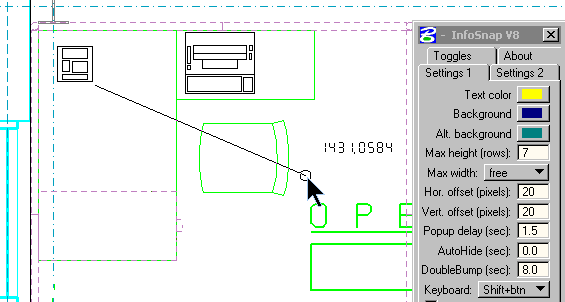
Fig 1. This is how it looks in MicroStation V8.
The output following the cursor is "1431.0584" in the captured moment.
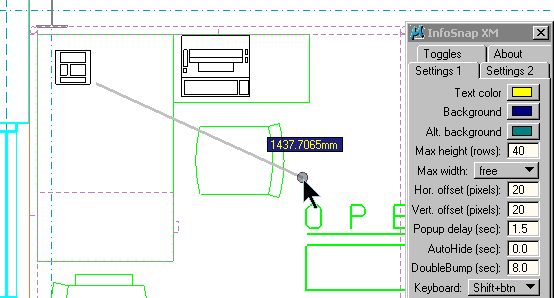
Fig 2. This is how it looks in MicroStation XM and beyond.
The output following the cursor is "1437.7065mm" in the captured moment.
Note that colors of the text in the measurement pop-up are the same as for main InfoSnap pop-up and are set in 'Settings-1' tab.